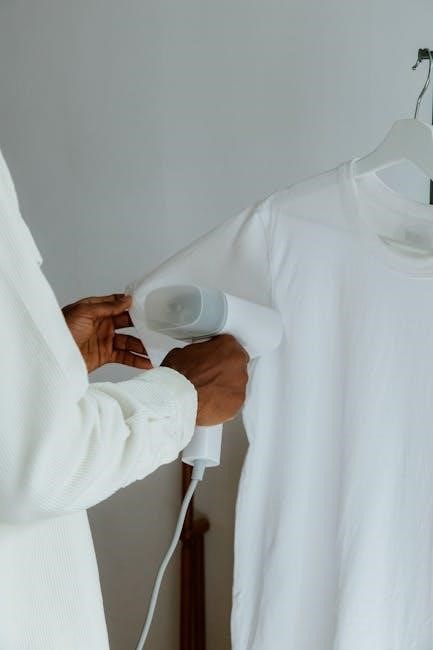
Black & Decker’s Even Steam Iron simplifies fabric care with its user-friendly design and effective wrinkle removal. This manual guides users through models IR12XS, IR16X, and IR18XS.
Overview of the Even Steam Iron Series
The Black & Decker Even Steam Iron Series represents a commitment to providing reliable and efficient garment care solutions for everyday use. These irons are designed with innovative features like EvenSteam Technology and SmartSteam control, ensuring consistent and optimal performance across various fabric types.
The series, encompassing models IR12XS, IR16X, and IR18XS, prioritizes user convenience with features such as easy-fill water tanks and anti-drip systems. This manual serves as a comprehensive guide, detailing safe operation, maintenance, and troubleshooting to maximize the lifespan and effectiveness of your Black & Decker iron.
Models Covered: IR12XS, IR16X, IR18XS
This manual provides instructions specifically tailored for the Black & Decker Even Steam Iron models IR12XS, IR16X, and IR18XS. While sharing core functionalities like EvenSteam Technology and auto shut-off features, slight variations may exist between these models;
Users should familiarize themselves with the specific features of their model as outlined within this guide. The information contained herein covers safe usage, filling procedures, operational guidelines, cleaning protocols, and proper storage techniques applicable to all three listed models, ensuring optimal performance and longevity.
Safety Precautions
Prioritize safety when using your Black & Decker iron! This section details essential guidelines, electrical instructions, and warnings regarding steam and hot surfaces for safe operation.
General Safety Guidelines
Before operating your Black & Decker Even Steam Iron, carefully read all instructions. Always supervise the iron when it’s plugged in. Keep the iron out of reach of children and pets to prevent burns. Use the iron only for its intended purpose – ironing fabrics.
Avoid using extension cords if possible; if necessary, ensure the cord is adequately rated for the iron’s wattage. Never pull or yank the cord; disconnect by grasping the plug. Do not operate the iron with a damaged cord or plug, or after it malfunctions. Return it to an authorized service center for repair.
Be cautious when emptying the water tank, as residual hot water may remain. Allow the iron to cool completely before storing.
Electrical Safety Instructions
To prevent electrical shock, never immerse the iron, cord, or plug in water or other liquids. Do not operate the iron with wet hands. Ensure the voltage indicated on the iron matches your household voltage. Always unplug the iron before filling with water, emptying, or cleaning.
Inspect the power cord regularly for damage. If the cord is damaged, it must be replaced by a qualified technician to avoid hazards. Avoid using the iron near flammable materials. Never attempt to repair the iron yourself; contact an authorized service center.
Use a properly grounded outlet.
Steam and Hot Surface Warnings
Exercise extreme caution when using the steam function, as escaping steam is very hot and can cause burns. Avoid directing steam towards yourself or others. The soleplate and other metal parts become extremely hot during use; avoid touching them until the iron has completely cooled down.
Do not leave the hot iron unattended while plugged in. Keep the iron out of reach of children. Allow sufficient ventilation during steam ironing to prevent moisture buildup. Be mindful of hot surfaces even after the iron is switched off, as residual heat remains.
Understanding Your Iron
Black & Decker’s Even Steam Iron boasts innovative features like EvenSteam Technology and a SmartSteam Control System, ensuring efficient and effective ironing performance.
Key Features: EvenSteam Technology
EvenSteam Technology is a core component of the Black & Decker Even Steam Iron series, designed to deliver consistent and powerful steam distribution across all fabric types. This innovative system ensures optimal wrinkle removal, penetrating deep into fibers for a professional finish. Unlike traditional irons, EvenSteam minimizes hot spots and uneven steaming, preventing scorching and damage to delicate materials.
The technology works by optimizing steam flow through strategically placed vents on the soleplate, guaranteeing uniform moisture application. This results in faster ironing times and reduced effort, making garment care more efficient and convenient for everyday use. It’s a key differentiator for the IR12XS, IR16X, and IR18XS models.
SmartSteam Control System
SmartSteam is an intelligent feature integrated into the Black & Decker Even Steam Iron, allowing users to customize steam output based on the fabric being ironed. This system provides precise control, preventing damage to sensitive materials while effectively tackling stubborn wrinkles on heavier fabrics. The control system typically involves a dial or settings that adjust steam levels, offering versatility for various garment types.
By selecting the appropriate steam setting, users can optimize ironing performance and extend the life of their clothes. This feature is particularly beneficial for items requiring gentle care, ensuring a professional finish without the risk of scorching or shine. It enhances the usability of models IR12XS, IR16X, and IR18XS.
Anti-Drip System Explained
The Anti-Drip System prevents water leakage from the soleplate during ironing, especially at lower temperature settings. This feature is crucial for protecting delicate fabrics from water spots and stains. It works by automatically sealing the steam vents when the iron’s temperature is insufficient to vaporize the water, ensuring a clean and efficient ironing experience.
This system eliminates the need to worry about drips ruining your clothes, providing peace of mind while ironing various materials. The Black & Decker Even Steam Iron models – IR12XS, IR16X, and IR18XS – all incorporate this valuable feature for optimal performance and fabric care.
Operating Instructions
To begin, fill the water tank with clean water, select the appropriate temperature setting, and utilize the steam and spray functions for optimal results.
Filling the Water Tank
Before each use, ensure the iron is unplugged and has cooled completely. Locate the water tank opening, typically covered by a flap. Gently lift the flap to reveal the filling port. Use clean, distilled or filtered water to prevent mineral buildup and prolong the iron’s lifespan. Avoid using tap water if possible.
Fill the tank to the maximum fill line indicated, being careful not to overfill. Overfilling can cause leakage during operation. Securely close the water tank flap after filling. Regularly flushing the tank helps maintain optimal steam performance and prevents clogging. Always check the water level before each ironing session.
Setting the Temperature Dial
The temperature dial is crucial for selecting the appropriate heat level for different fabrics. Begin by identifying the fabric type you intend to iron – delicate synthetics, silk, wool, cotton, or linen. Refer to the garment’s care label for guidance. Rotate the dial to align with the corresponding fabric setting.
Lower settings are ideal for delicate fabrics, preventing scorching. Higher settings are necessary for heavier materials like linen. Allow the iron to heat up completely before use; the indicator light will signal when the selected temperature is reached. Always start with a lower temperature and gradually increase if needed.
Using the Steam Functions
The Black & Decker Even Steam Iron offers versatile steam functions for optimal wrinkle removal. Ensure the water tank is filled and the iron has reached the selected temperature. For general ironing, utilize the continuous steam function by simply gliding the iron over the fabric.
For stubborn wrinkles, employ the burst of steam feature by pressing the designated steam button. This delivers an extra surge of moisture. Remember to hold the iron slightly above the fabric when using burst steam to avoid water spots. Adjust steam levels based on fabric type for best results.
Spray Mist Function
The spray mist function on your Black & Decker Even Steam Iron provides a fine water spray to moisten fabrics before ironing. This is particularly useful for dry or heavily creased materials, aiding in wrinkle removal. To activate, press the spray button located on the iron’s handle while gliding it over the fabric.
Ensure the water tank is adequately filled for consistent misting. Avoid excessive spraying, as it can lead to fabric dampness. Use the spray function in conjunction with steam for enhanced ironing performance, achieving professional-looking results with ease.
Burst of Steam Function
The burst of steam function delivers a powerful, concentrated steam blast to tackle stubborn wrinkles and creases. Activate this feature by pressing and holding the designated “Burst of Steam” button on the iron’s handle while ironing. This intense steam surge penetrates fabric fibers, effectively smoothing out difficult-to-iron areas.
Use this function sparingly, as continuous use can deplete the water tank quickly. It’s ideal for thicker fabrics like denim or linen. Always test on an inconspicuous area first to ensure fabric compatibility and prevent potential damage.
Vertical Steaming Technique
The Black & Decker Even Steam Iron offers a convenient vertical steaming option for refreshing hanging garments. Ensure the water tank is filled and the iron is heated to the appropriate temperature setting for the fabric type. Hold the iron vertically, a few inches away from the clothing, and gently press the steam button.
Move the iron slowly up and down, allowing the steam to relax wrinkles. Avoid direct contact with the fabric during vertical steaming to prevent scorching. This method is perfect for delicate items or garments that are difficult to iron traditionally.
Auto Shut-Off Feature
The Black & Decker Even Steam Iron incorporates a 3-way auto shut-off for safety, activating after 8 minutes of inactivity on the soleplate or tipping over.
3-Way Auto Shut-Off Explained
The Black & Decker Even Steam Iron prioritizes safety with its advanced 3-way auto shut-off system. This feature automatically turns off the iron under three distinct scenarios to prevent hazards. First, it shuts off after eight minutes of inactivity when left resting on its soleplate. Secondly, the iron will power down if it’s left standing on its heel rest for over thirty minutes. Finally, and most importantly, it instantly shuts off if the iron tips over in any direction, eliminating a potential fire risk. This multi-faceted approach provides peace of mind during and after ironing sessions, ensuring a secure user experience.
Safety Benefits of Auto Shut-Off
The auto shut-off feature on the Black & Decker Even Steam Iron significantly enhances user safety and reduces potential household risks. By automatically powering down during inactivity or if tipped over, it minimizes the chance of fire hazards. This is particularly crucial for busy individuals or households with children and pets. The system offers reassurance, preventing accidental overheating and damage to fabrics. It’s a vital safety net, allowing users to iron with confidence, knowing the iron will safely deactivate if left unattended, promoting a secure ironing experience.
Cleaning and Maintenance
Regular cleaning ensures optimal performance and longevity of your Black & Decker Even Steam Iron; utilize the Auto Clean system and descaling procedures.
Auto Clean System Instructions
The Auto Clean system within your Black & Decker Even Steam Iron is designed to flush out mineral deposits and maintain steam vent functionality. To activate, fill the water tank with clean water, set the iron to the maximum temperature setting, and allow it to heat up completely.
Once heated, hold the iron over a sink or suitable container and repeatedly press the self-clean button. Steam and water will be forcefully ejected from the soleplate, carrying away loose mineral buildup. Continue until the water tank is empty and clear water is expelled. This process should be performed regularly, depending on water hardness and usage frequency, to ensure consistent steam performance.
Descaling the Iron
Regular descaling is crucial for maintaining optimal performance of your Black & Decker Even Steam Iron, especially with hard water. Mix a descaling solution (available commercially or a mixture of water and white vinegar) according to the product instructions. Fill the water tank with this solution.
Set the iron to a high steam setting and heat up. Once hot, activate the steam function, allowing the solution to pass through the steam vents. Repeat this process several times, then rinse the tank thoroughly with clean water before using the iron again.
Cleaning the Soleplate
To maintain a smooth glide and prevent staining, regularly clean the soleplate of your Black & Decker Even Steam Iron. Ensure the iron is cool and unplugged. Gently wipe the soleplate with a soft, damp cloth. For stubborn residue, use a non-abrasive cleaner specifically designed for iron soleplates.
Avoid harsh scouring pads or chemicals, as these can damage the surface. A paste of baking soda and water can also be effective for removing buildup. After cleaning, wipe the soleplate dry with a clean cloth before storing.
Exterior Cleaning
To keep your Black & Decker Even Steam Iron looking its best, regularly clean the exterior surfaces. Always unplug the iron and allow it to cool completely before cleaning. Wipe the housing with a slightly damp cloth and a mild detergent if necessary.
Avoid getting water inside the iron. Do not use abrasive cleaners or solvents, as they can damage the plastic. A soft, dry cloth can be used to polish the exterior and remove fingerprints. Ensure the iron is completely dry before storing it.
Troubleshooting Common Issues
This section addresses problems like the iron not heating, steam not producing, or water leakage, and even potential black screen issues during Steam game use.
Iron Not Heating Up
If your Black & Decker Even Steam Iron isn’t heating, first ensure it’s properly plugged into a functioning electrical outlet. Verify the temperature dial is set to the desired heat level, as a lower setting might seem like no heat. Check if the auto-shutoff feature has been activated; if so, move the iron to reset it.
Additionally, confirm the iron’s internal thermal fuse hasn’t blown – this requires professional repair. A faulty heating element is another potential cause, also needing expert attention. Do not attempt to disassemble or repair the iron yourself, as this could void the warranty and pose a safety risk. Always prioritize safety and consult a qualified technician.
Steam Not Producing
If your Black & Decker Even Steam Iron isn’t producing steam, ensure the water tank is filled to the appropriate level – too little or too much water can hinder steam generation. Confirm the steam control dial is set to a steam-producing setting, not ‘Dry’ or ‘Off’. Check for mineral buildup, as this can block steam vents; utilize the Auto Clean function or descale the iron.
Also, verify the anti-drip system isn’t activated, preventing steam release at low temperatures. A clogged steam vent requires careful cleaning. If issues persist, professional servicing might be necessary to address internal blockages or component failures.
Water Leaking from the Iron
If you notice water leaking from your Black & Decker Even Steam Iron, first ensure you haven’t overfilled the water tank; exceeding the maximum fill line can cause leakage. Verify the iron is adequately heated to the selected temperature setting, as the anti-drip system prevents leaking at lower temperatures. Inspect the water tank for cracks or damage, which could be the source of the leak.
Additionally, check the steam vents for blockages that might cause pressure buildup and subsequent leakage. If the problem continues, discontinue use and consider professional repair.
Black Screen Issues (Related to Steam Games ― External Issue)
Please note: This issue is unrelated to the iron’s functionality and pertains to specific problems encountered while using certain games on the Steam platform. Some users report experiencing a complete black screen during gameplay, despite continued audio and input functionality. This typically occurs at specific moments within games like CS:GO, such as navigating the friends list or attempting to message contacts.
This is a known external issue and requires troubleshooting within the Steam environment, not related to the iron itself.
Storage Instructions
Proper storage ensures longevity. Allow the iron to cool completely before storing it in a safe, dry location, away from water and extreme temperatures.
Proper Storage Techniques
To maximize the lifespan of your Black & Decker Even Steam Iron, follow these storage guidelines. Always ensure the iron is completely cool and unplugged before storing it. Empty the water tank to prevent mineral buildup and potential leaks during storage. Store the iron in its original box or a protective bag to shield the soleplate from scratches and dust.
Avoid storing the iron in damp environments, as this can lead to corrosion. Keep it away from direct sunlight and extreme temperatures. A cool, dry closet or shelf is ideal. Ensure the cord is neatly coiled and secured to prevent damage. Proper storage maintains optimal performance.
Long-Term Storage Guidelines
For extended periods of non-use, thoroughly clean your Black & Decker Even Steam Iron. After emptying and drying the water tank, run the Auto Clean function to remove any remaining mineral deposits. Ensure the soleplate is also clean and free of residue. Store the iron in a breathable cloth bag, avoiding plastic, which can trap moisture.
Periodically check the stored iron for any signs of corrosion or damage. If stored in a cold climate, bring it to room temperature before use. Following these guidelines will help preserve the iron’s functionality and extend its operational life.
Technical Specifications
The Even Steam Iron boasts varying wattage and tank capacities depending on the model (IR12XS, IR16X, IR18XS), with a durable soleplate material for smooth gliding.
Voltage and Wattage
Black & Decker Even Steam irons are typically designed for standard household voltage, generally operating at 120V in North America. Wattage varies between models to provide differing levels of heating power and steam output. The IR12XS model often features around 1200 watts, offering sufficient heat for everyday ironing needs.
The IR16X may have a slightly increased wattage, potentially reaching 1500 watts for faster heating and more robust steam generation. Finally, the IR18XS, as a potentially higher-end model, could operate at 1600-1800 watts, delivering maximum performance for thicker fabrics and demanding ironing tasks. Always check the specific rating printed on your iron’s base.
Water Tank Capacity
Black & Decker Even Steam irons feature water tanks designed for convenient filling and extended ironing sessions. The IR12XS model generally offers a water capacity of approximately 200ml (about 6.8 fluid ounces), suitable for ironing several garments without frequent refills. The IR16X often boasts a slightly larger tank, around 250ml (8.5 fluid ounces), providing increased steaming time.
For users tackling larger ironing loads, the IR18XS model typically includes the largest capacity, potentially reaching 300ml (10.1 fluid ounces). This allows for prolonged, uninterrupted use. Always avoid overfilling the tank to prevent leakage and ensure optimal performance.
Soleplate Material
Black & Decker Even Steam irons utilize durable soleplate materials designed for smooth gliding and efficient heat distribution. Most models, including the IR12XS, IR16X, and IR18XS, feature a non-stick coated soleplate, typically made of aluminum. This coating minimizes fabric sticking and ensures easy movement across various fabrics.
The aluminum construction allows for rapid heating and consistent temperature maintenance. Some variations may include ceramic-coated soleplates for enhanced scratch resistance and even smoother gliding. Regular cleaning of the soleplate is crucial to maintain its performance and prevent residue buildup, ensuring optimal ironing results.
Warranty Information
Black & Decker provides warranty coverage on Even Steam irons, details varying by region and model. Contact customer support or review your purchase documentation to learn more.
Warranty Coverage Details
Black & Decker warranties typically cover defects in materials and workmanship for a specified period from the date of purchase. This coverage generally includes repair or replacement of the defective iron, at the discretion of Black & Decker. The standard warranty period is often one or two years, but can vary depending on the specific model (IR12XS, IR16X, IR18XS) and the country of purchase.
Warranty does not cover damage resulting from misuse, abuse, accidents, alterations, or lack of proper maintenance. It’s crucial to retain proof of purchase for warranty claims. Damage caused by using incorrect voltage or descaling solutions is also typically excluded. Always refer to the official warranty statement included with your iron for complete details.
How to Claim Warranty
To initiate a warranty claim for your Black & Decker Even Steam Iron (IR12XS, IR16X, or IR18XS), first gather your original proof of purchase – a receipt or invoice is essential. Contact Black & Decker’s customer support through their website or phone number, providing the model number and a detailed description of the defect.
You may be asked to ship the iron, along with proof of purchase, to a designated service center for inspection. Black & Decker will then assess the claim and, if approved, either repair or replace the iron. Shipping costs may be the responsibility of the consumer, depending on the warranty terms.
Frequently Asked Questions (FAQ)
This section addresses common user inquiries regarding the Black & Decker Even Steam Iron, covering operation, maintenance, and troubleshooting for models IR12XS, IR16X, and IR18XS.
Common User Questions Answered
Q: Why is my iron not heating up? Ensure the iron is properly plugged into a functioning outlet and the temperature dial is set to the desired level. Check the power cord for any damage.
Q: What causes water to leak from the iron? Excessive water in the tank or using water with high mineral content can lead to leaks. Utilize distilled water and avoid overfilling.
Q: How do I clean the soleplate? While cool, wipe the soleplate with a damp cloth. For stubborn residue, use a specialized iron cleaner, following product instructions carefully.
Q: Is the black screen issue related to Steam games? Yes, some users report temporary black screens during specific Steam games; this is an external issue not directly related to the iron’s functionality.